1xBet problems — pick the stuck thing, then do one fix
Bonus missing, wallet Success but empty 1xBet, payout sitting on Pending, ID check rejected, or a login that will not open. Each row below is a different problem. Do not send a second deposit to "force" a bonus. We cannot see your account. 1xBet support can.
Code VIP4YOU is active — free to use at registration
Direct answer
Most stuck money is one of four mistakes
Empty promo field at REGISTER (bonus never attaches). A Paybill or QR copied from chat (deposit never matches). First cashout before the ID check (withdrawal sits). A second account on the same phone (both can freeze). If you still need a new account, paste VIP4YOU on the phone or email form, then fund once.
Live operator capture
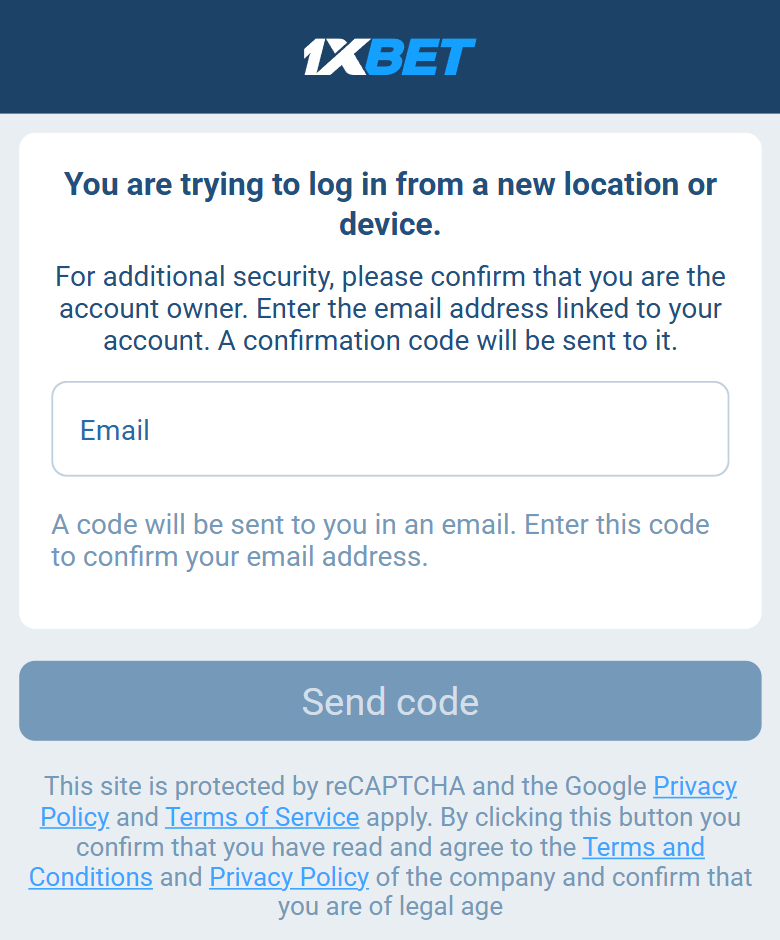
This email-code wall is not an ID check and not a down site
If login stops on a new IP or phone, 1xBet emails a confirm code first. That is the new-device step — not a rejected passport, not a missing bonus, not a failed UPI. Use the jump list below for the problem you actually have.
Bonus not credited after deposit
Likely cause: The promo code was not entered when you opened the account; the deposit was below the minimum; you already used a welcome offer on this account, household or payment method; or you picked a different welcome offer (for example casino instead of sports).
Fix: The welcome bonus only arrives if VIP4YOU was in the Promo code field at sign-up. You cannot add it later. Check My Bonuses — the extra money sits there, not on the main balance.
Withdrawal pending, rejected or not received
Likely cause: The ID check is not finished; you asked to cash out to a different method than you used to deposit (you must send money back the same way); you have not yet cleared the wagering (five times the bonus on the international offer, something else on several country sites); the amount is below that method’s minimum withdrawal; or a first or large payout is in a routine review.
Fix: Open Withdrawal history first. Read the exact status (pending vs approved vs rejected).
Deposit not working / not crediting
Likely cause: Your payment app says Success but the 1xBet balance is empty; your bank blocked a gambling payment; the QR or Pix code expired; the amount was below the minimum; you paid a number from Telegram or WhatsApp; or Deposit history still shows pending or failed.
Fix: Do not deposit a second time. Save the payment reference (UTR / TrxID / E2E / txid). Check Deposit history. Pay only the merchant shown on your own deposit screen.
Account verification (ID check) failed or rejected
Likely cause: Blurry or cropped ID; name or date of birth does not match what you typed at sign-up; proof of address older than 3 months or the wrong type (for example a mobile bill); selfie mismatch; expired document; more than one account; or the file is still “under review” and is not actually failed.
Fix: Read the exact rejection on each document. If the name is wrong, ask support to fix it before you upload again. Retake only the failed files (four corners, daylight, no flash).
Promo code not working / field missing
Likely cause: The quick sign-up tab hid the Promo code field; a typo or extra space; expecting extra money before you deposit; or trying to paste the code on the deposit screen after you already have an account.
Fix: Switch to By phone or By email. Paste VIP4YOU exactly before you tap Register.
Login not working / cannot sign in
Likely cause: Wrong login type (email vs phone); forgotten password; you used the quick sign-up tab and lost the account ID; a regional block; or a cookie or session issue.
Fix: Use the exact ID, email or phone you registered with. Reset the password via Restore account. Clear cookies or try the app if the page loops. Quick-sign-up accounts with no email need support to recover.
When to contact 1xBet support directly
We are an independent guide, not 1xBet. Locked accounts, a deposit your bank confirmed but 1xBet has not credited, an ID-check appeal, or a disputed withdrawal can only be resolved by 1xBet support via in-app live chat or their official email. Always include your account ID and the relevant transaction ID.
How we verify offers and what we cover: about ·methodology ·country pages ·contact.
Starting fresh? Paste VIP4YOU at REGISTER
That one field prevents the most common "bonus not credited" ticket. First deposit can be matched 130%, up to $130. That is a ceiling. Some countries list a different figure — check it after you sign up. Working in September 2026.
VIP4YOU