1xBet Login — Web, App, Region Blocks & Fixes
Open the official site or app. Tap Log In. Enter the phone, email or account ID you signed up with, then your password. If the site does not open, that is often a local block, not a wrong password. New here? Open an account first and paste VIP4YOU, then come back to log in.
Login vs register and problems hub
- Here: account access — credentials by sign-up type, password restore, region blocks, phishing.
- How to register: create a new account and paste
VIP4YOU— not this page. - Problems & fixes: bonus not credited, deposit or withdrawal stuck, ID check failed after you are already in.
- App download: install path; then return here for sign-in issues on mobile.
- FAQ: promo-code questions for new players still choosing VIP4YOU.
How to log in (web & app)
Open the official site/app
Use the official 1xBet site for your country or the Android/iOS app. Avoid links from emails or ads.
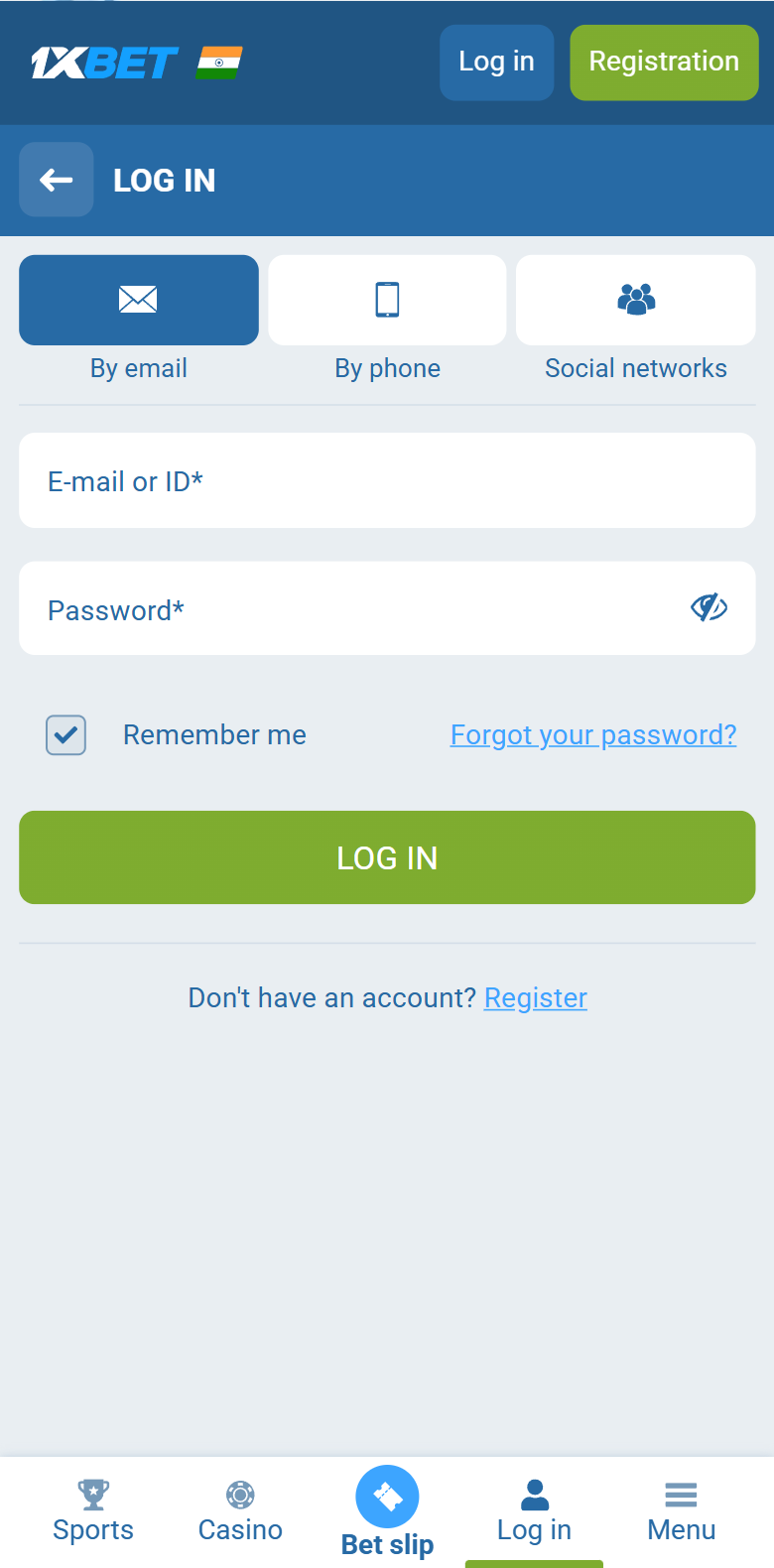
Click "Log In"
Top-right corner on desktop; the account icon on mobile. A login window opens.
Enter credentials
Use the ID/email/phone you registered with, plus your password. Quick sign-up accounts use the generated account ID.
You're in
You land on your dashboard — balance, open bets and bonus progress, synced across all devices.
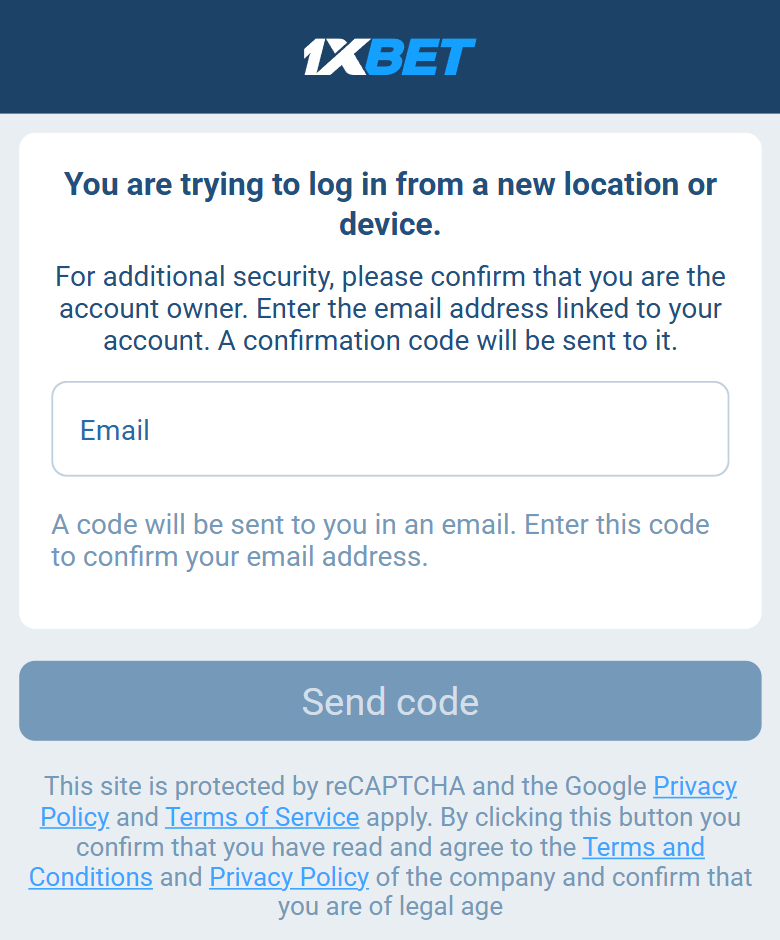
New location or device?
After a correct password 1xBet may still stop the login and ask you to confirm the email on the account. That is a new-device check, not an ID check. Enter the email, tap SEND CODE, then paste the code from that inbox.
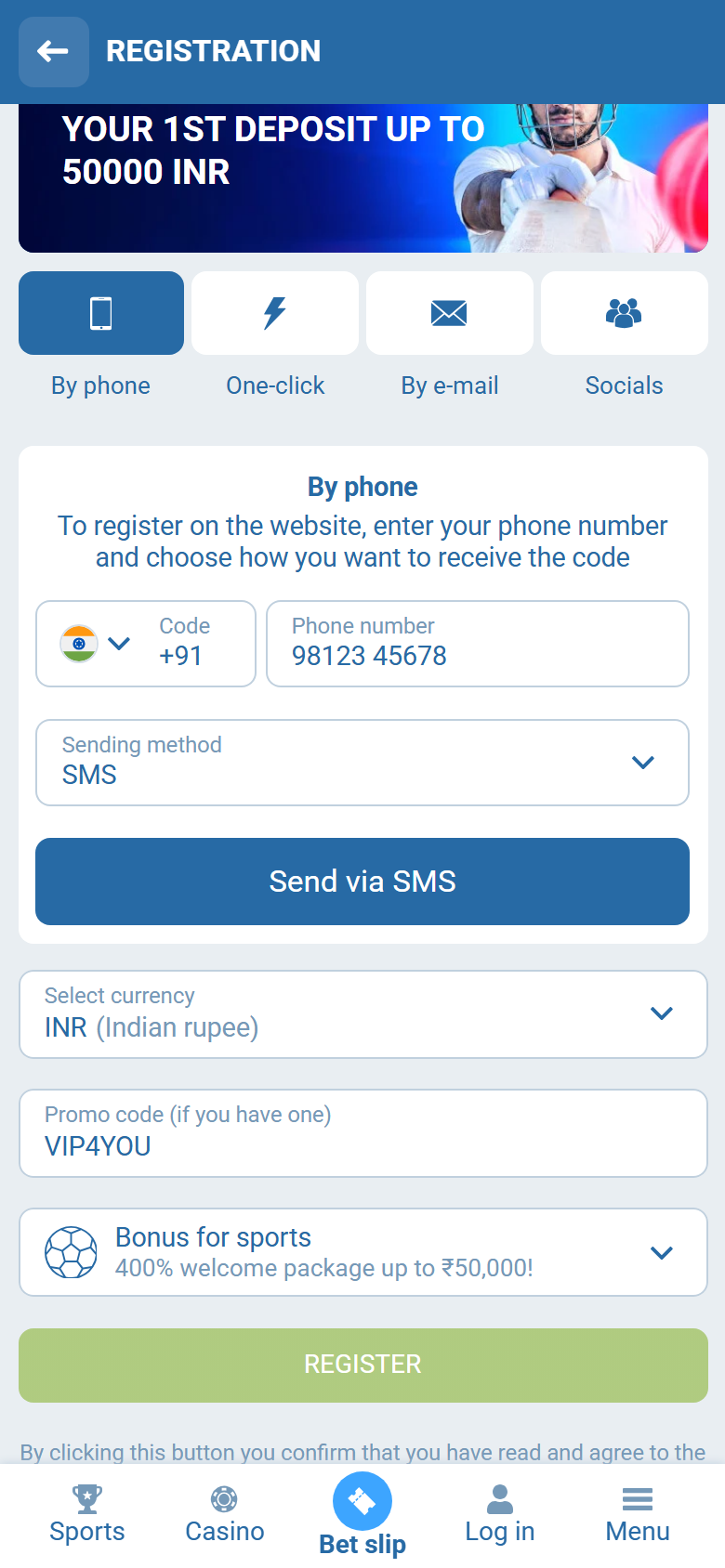
New user? Register first (promo field)
The login screen has no promo-code box. If you do not have an account yet, open registration and paste VIP4YOU before you submit — then come back here to sign in.
Which login ID do you use?
Your login depends on how you registered. If you are unsure, try the password reset — it works from either phone or email.
| Registration type | Your login ID |
|---|---|
| By phone | Your phone number + password |
| By email | Your email + password |
| Quick sign-up tab | The generated account ID shown at sign-up + password |
| Social / messenger | The linked account (Google, Telegram, etc.) |
App login (Android & iOS)
Credentials are the same as on the website. After the first password login on a device, the official app usually offers biometric unlock (fingerprint / Face ID) in security settings — useful on shared Wi‑Fi where typing passwords is risky.
- Android: install only from the official APK path the operator publishes (or Play where offered). Open the app → Log in → same phone/email/ID + password.
- iOS: use the official build where available; Apple’s store rules vary by region, so many players use mobile web if the app is not listed.
- Session: logging out of the app does not cancel web sessions and vice versa — if a device is lost, change the password from a trusted device.
- Push / SMS codes: password-reset SMS goes to the number on the account. If you changed SIMs, update contact details after you are logged in, not via a third-party “unlock” site.
Install walkthrough: 1xBet app download.
Region blocks, mirrors and “site will not open”
A blank page, DNS error, or endless spinner is often access filtering, not a wrong password. Gambling domains are restricted or throttled on some ISPs. That is different from “Wrong login or password,” which means the form loaded and rejected credentials.
- Confirm the form loads. If you never see email/phone fields, fix access first (app, mobile data vs home Wi‑Fi, official mirror the operator documents).
- Country domain mismatch. An account created on one regional front-end may need the matching product URL; random third-party “mirrors” are phishing bait.
- Prefer the official app when browsers are blocked — same account, fewer intercepting proxies.
- Never type your password into a page reached from an unsolicited Telegram/WhatsApp “login help” link.
If the form loads but still fails, jump to the problem table below or the problems hub.
Login problems and fixes
| Problem | Most likely fix |
|---|---|
| "Wrong login or password" | Check caps-lock; confirm you're using the right login type (phone vs email). Reset the password if unsure. |
| Forgot password | Use "Restore account" on the login window — code arrives by SMS/email. |
| Forgot account ID (quick sign-up) | Contact 1xBet support with your deposit details; quick sign-up accounts have no email to self-recover. |
| Page won't load / blocked | Access filter — try official app, other network, operator-documented mirror. See region section above. |
| Login loops / session expires | Clear cookies, disable aggressive ad-blockers for the site, or try the app. |
| Account locked | Usually a security flag (multiple failed attempts or unfinished ID check). Contact support to unlock. |
| Works on app, not on browser (or reverse) | Stale cookies or a blocked domain in one channel — reset password once, then sign in on the working channel first. |
Account-specific issues (locked accounts, ID check, withdrawals) are handled by 1xBet support directly — we are an independent guide and cannot access your account. Payout stuck after login? Withdrawal pending checklist.
Stay safe: avoid login phishing
- Only log in on the official domain/app. Lookalike domains ("1xbet-secure-login", "1xbet-bonus.win") exist purely to steal passwords.
- Never enter your password from an email/ad link. Reach the site from a bookmark or a trusted referrer.
- Use a unique, strong password from a password manager — not one reused on other sites.
- Enable biometric login in the app (Face ID / fingerprint) for faster, safer access.
- Support never asks for your password. Anyone who does is a scammer.
1xBet login FAQ
How do I log in to 1xBet?
On the official site or app, click Log In (top-right on desktop), enter the ID, email or phone you registered with and your password, then submit. If you registered by phone, your login is the phone number. If you registered by email, use the email. The quick sign-up tab gives you a generated account ID — use that.
I forgot my 1xBet password — how do I reset it?
On the login window click Forgot password / Restore account. Enter your registered phone or email. You get a reset code by SMS or email. Enter the code and set a new password. If you used the quick sign-up tab and never added email or phone, recovery is harder — contact 1xBet support with your account ID.
Why is my 1xBet login not working?
Most common causes: wrong login type (using email when you registered by phone), caps-lock / wrong password, the account being on a different country domain than the one you are visiting, an unverified browser session, or a temporary site block in your region (a mirror/app may be needed). Reset the password first; if that fails, contact support.
Is the 1xBet login the same on the app and website?
Yes. The same credentials work on the website, mobile-web, Android app and iOS app simultaneously. Your balance, bets and bonus progress sync in real time across all devices.
How do I avoid 1xBet login phishing scams?
Only log in on the official domain or app. Scammers set up lookalike domains (e.g. "1xbet-secure-login", "1xbet-bonus") to steal credentials. Never enter your password on a page you reached from an unsolicited email or ad. Bookmark the official site and use a unique password.
I do not have an account yet — how do I sign up?
You need to register first. Paste promo code VIP4YOU on the sign-up form, then log in with the details you set. See the step-by-step registration guide.
Why does the 1xBet site not open in my country?
Some ISPs or regulators block gambling domains. That is a network/access issue, not a wrong password. Try the official Android app (or a known-good official mirror the operator publishes), a different network (mobile data vs Wi‑Fi), or wait out a temporary DNS block. Never use random “login portals” from ads — those are phishing.
Does Face ID / fingerprint work for 1xBet login?
On the official app, yes after the first successful password login: enable biometric unlock in app security settings. Biometrics unlock the app on that device; they do not replace knowing your password for web login or password reset.
Ready to sign in on 1xBet?
Open the official site or app, use the same phone / email / ID you registered with, then “Log In”. New account? Paste VIP4YOU at registration first (September 2026).